If you are an expat or a digital nomad enjoying the unique blend of culture and connectivity in Bali, you may frequently need to move your stable digital assets back to a centralized exchange. Therefore, understanding how to deposit USDT to Binance in Bali efficiently and securely is a vital skill. Binance, being one of the largest global crypto exchanges, remains a popular destination for travelers looking to consolidate funds, trade, or prepare for withdrawals in their home currency. Although Binance itself does not hold a specific local license from Bappebti, it is widely accessible and used by the international community here. This process, while seemingly simple, requires careful attention to the correct network selection and address verification to prevent loss of funds, which is paramount when dealing with cross-border digital transactions.
Pre-Deposit Checklist: Preparing Your Binance Account
Before you attempt to learn how to deposit USDT to Binance in Bali, you must ensure your Binance account is fully prepared to receive the funds. Taking a few moments to review these steps will prevent common transfer errors that can lead to significant delays or, worst case, the permanent loss of your digital assets.
Completing Verification and Security Checks
Ensure your Binance account has successfully completed the required Know Your Customer (KYC) verification. This is standard procedure for all major exchanges. More importantly, enable Two-Factor Authentication (2FA), such as Google Authenticator, for all withdrawals and deposits. Doing this is your first and best line of defense against unauthorized access, especially when using public internet networks often found in Bali’s cafes and co-working spaces.
Identifying the Correct Network and Address
This is the most critical step in learning how to deposit USDT to Binance in Bali. USDT exists across several different blockchains, and you must select the network on Binance that exactly matches the network from which you are sending.
- Navigate to the Deposit Section: Log in to your Binance account (via app or web) and go to the “Wallet” or “Deposit” section.
- Select USDT: Search for and select “USDT (Tether)” as the coin you wish to deposit.
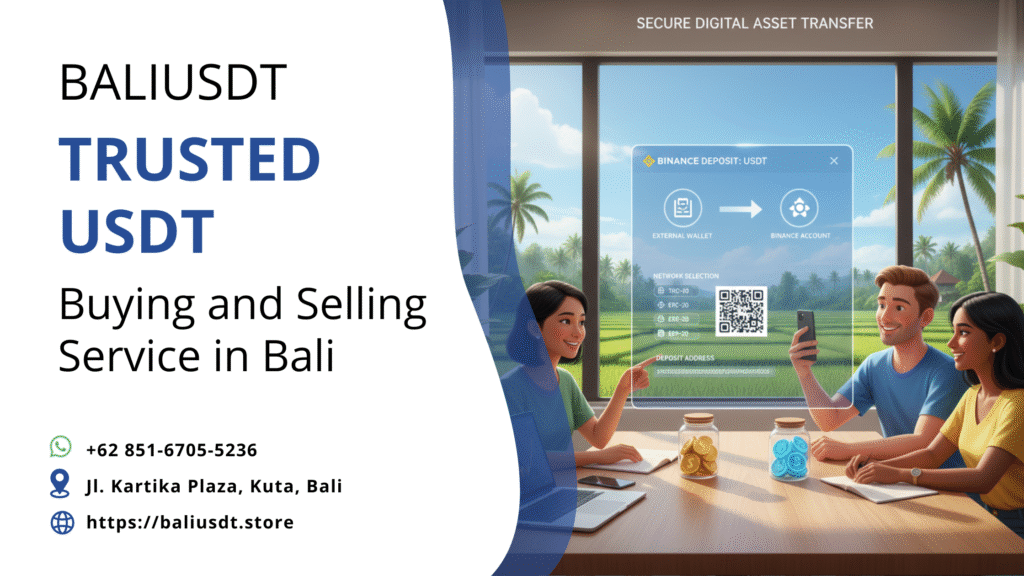
- Choose the Network: Binance will present a list of supported networks (e.g., Ethereum (ERC20), BNB Smart Chain (BEP20), Tron (TRC20)).
- Copy the Address: After selecting the network, a unique deposit address and often a QR code will be generated. Copy this address exactly. A mismatch between the sending network and the deposit network is the leading cause of lost crypto. Therefore, always confirm that, for example, if you are sending via the low-fee TRC-20 network, you must select TRC-20 on the Binance deposit screen.
The Execution: Detailed Steps on How to Deposit USDT to Binance in Bali
Once you have your verified Binance deposit address, the actual transfer involves initiating the withdrawal from your source wallet. This is particularly relevant if you have acquired USDT locally on the island, perhaps through an OTC transaction.
Initiating the Transfer from Your External Wallet
The following steps outline the execution of the deposit:
- Open Your Source Wallet: Log in to the wallet or platform where your USDT is currently held (e.g., a hardware wallet, Trust Wallet, or another exchange).
- Select the Send/Withdraw Option: Choose the USDT token and select the option to send or withdraw.
- Paste the Binance Deposit Address: Carefully paste the address you copied from your Binance deposit screen into the recipient field.
- Confirm the Network: Crucially, verify that the withdrawal network selected on your source wallet is the exact same network you selected on Binance. If you selected TRC-20 on Binance, you must choose the Tron network here.
- Enter the Amount and Review: Enter the amount of USDT you wish to deposit and check the transaction summary, paying close attention to the network fees (gas fees) which will be deducted.
- Final Confirmation: Complete the transfer with your wallet’s security protocol (e.g., password, 2FA code).
It is always advisable to send a small, test amount first if you are depositing from a new wallet to confirm the process works smoothly before committing a large sum. This prudent step can save considerable anxiety and potential loss of funds.
Post-Transfer Verification and Troubleshooting for Travelers
Knowing how to deposit USDT to Binance in Bali is only half the battle; confirmation is the final key step. Since you are performing a time-sensitive financial action, especially if you plan to trade immediately, verification is necessary.
Using Block Explorers for Immediate Confirmation
Immediately after sending the funds, you will receive a Transaction ID (TxID). Use this ID to confirm the status of your deposit using a Block Explorer (like Tronscan or Etherscan), as outlined in the previous article.
- Check Binance History: Simultaneously, navigate to the “Deposit History” on your Binance account. It should show the transaction as “Confirming” or “Processing.” Binance requires a specific number of network confirmations before the funds are credited to your account.
- Patience with Network Speed: The speed of the deposit depends heavily on the chosen network. While TRC-20 is generally fast (minutes), ERC-20 deposits can sometimes take longer, especially during times of high network traffic.
If your transaction remains unconfirmed for an unusually long time, cross-check the TxID on the block explorer. If the transaction shows as confirmed on the blockchain but is not yet credited on Binance, it usually means Binance is simply processing the final internal transfer, and you just need to wait.
Safety and Convenience: Local Tips from Bali
For travelers and digital nomads in Bali, security is always a prime consideration when executing digital finance transactions. This enhances the convenience factor of knowing how to deposit USDT to Binance in Bali.
- Avoid Public Wi-Fi: When conducting any transaction—especially those involving pasting wallet addresses—always use a secure, private connection, such as your mobile hotspot or a VPN. Malicious actors may try to intercept data or swap clipboard contents (a practice known as clipboard hijacking).
- Utilize Physical Office Locations: If you are buying or selling USDT locally and using an Over-The-Counter (OTC) service, conducting the transaction from their secure office is recommended. This minimizes exposure to public scrutiny and potential theft. For secure local transactions, you can visit our verified facility located at JL. KARTIKA PLAZA, KUTA, KEC. KUTA, KAB. BADUNG, BALI 80361.
- Compliance Note: Remember that while you are moving digital assets between two foreign entities (your external wallet and Binance), Indonesia regulates crypto as a commodity. Ensuring you deal with reputable local partners, such as those listed on BaliUSDT.store, ensures the origin of your funds is legitimate, which is essential for ongoing compliance.
The Convenience of USDT for Global Financial Management
Mastering how to deposit USDT to Binance in Bali underscores the value of stablecoins for the global citizen. This capability allows you to:
- Move Value Instantly: Convert local earnings or cash into a globally liquid asset (USDT) and transfer it to a trading hub (Binance) faster and cheaper than almost any bank wire transfer.
- Maintain USD Peg: By holding USDT on Binance, you temporarily keep your funds pegged to the US Dollar, providing a stable unit of account regardless of the volatility of the Indonesian Rupiah or other cryptos.
- Access Advanced Features: Once on Binance, your USDT can be utilized for staking, trading futures, or converting into other fiat currencies for future global travel needs.
Conclusion
In conclusion, successfully executing how to deposit USDT to Binance in Bali is a routine operation for the international community, provided you adhere to the golden rule of network matching. Always triple-check the blockchain network (ERC-20, TRC-20, etc.) on both the Binance deposit screen and your sending wallet. By prioritizing security through 2FA and secure internet connections, and utilizing trusted local services for your initial acquisition needs, you can ensure a smooth, low-cost transfer that keeps your digital finances flowing seamlessly while you enjoy your time on the Island of the Gods.
Ready to convert local cash into USDT to deposit, or need to liquidate existing USDT into Rupiah?
📲 WhatsApp us to sell your USDT safely: +62 851-6705-5236
Get a fast quote for your USDT today
USDT is processed as a commodity sale in Indonesia, not as a direct payment method.
Read More: How to Check USDT Transaction in Bali: A Traveler’s Guide