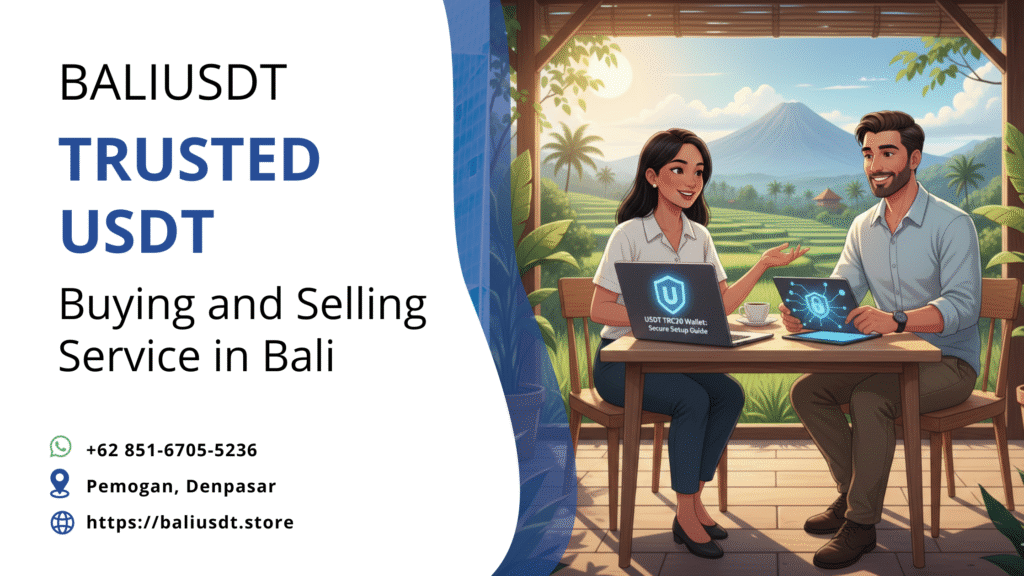
For travelers, digital nomads, and expats using stablecoins for international money management, understanding how do I create a USDT TRC20 wallet is essential. TRC20 USDT, running on the Tron blockchain, has become the preferred standard globally due to its speed and significantly lower transaction fees compared to the costly ERC-20 network. Therefore, choosing the right wallet and following security best practices ensures your digital dollar remains safe and easily accessible while you are abroad. This allows for seamless conversion into local currency like Indonesian Rupiah (IDR) when you need it for accommodation or transport in places like Bali.
Why TRC20 is the Traveler’s Choice
Before setting up your wallet, you should appreciate the advantages of the TRC20 standard. This understanding will inform your wallet choice and usage patterns.
Cost Efficiency and Speed
The Tron network was designed for high throughput and low costs, which greatly benefits users transferring funds frequently.
- Near-Zero Fees: Transactions using TRC20 USDT usually cost only a few cents. This contrasts sharply with the high and often unpredictable Gas Fees associated with the Ethereum network’s ERC-20 standard. Consequently, these savings add up quickly for someone moving funds frequently to cover weekly expenses.
- Fast Confirmation: Tron processes transactions in mere seconds. This speed is essential for a traveler. It ensures that when you send funds to a local service or exchange to get cash, the process completes almost instantly, avoiding inconvenient delays.
Ultimately, maximizing the value of your stablecoin hinges on the answer to how do I create a USDT TRC20 wallet that facilitates these cheap and fast transfers.
Choosing a Non-Custodial Wallet
The most important first step when learning how do I create a USDT TRC20 wallet involves selecting a reliable, non-custodial platform. A non-custodial wallet means you control the private keys. This gives you complete ownership of your funds—a vital security measure when traveling.
Top Wallet Recommendations
Several well-regarded wallets offer robust support for the Tron network and TRC20 tokens:
- TronLink: This is the official wallet of the Tron ecosystem. It offers deep integration and is available as a mobile app and browser extension. Because of its comprehensive support for all Tron features, many users recommend it.
- Trust Wallet: Backed by Binance, Trust Wallet is a secure, user-friendly mobile wallet. It supports multiple blockchains, including Tron (TRC20). Moreover, it is excellent for beginners.
- Exodus Wallet: Known for its sleek, intuitive interface, Exodus supports TRC20 USDT on both desktop and mobile platforms. Furthermore, it often includes an integrated exchange feature for quick swaps.
- Atomic Wallet: As a cross-platform option, Atomic Wallet provides strong security and supports a wide array of tokens. Therefore, it makes a versatile tool for digital nomads managing diverse assets.
Step-by-Step Guide: How Do I Create a USDT TRC20 Wallet?
Creating your wallet is a straightforward process. However, you must pay extreme attention to detail, especially regarding security. We will use the common steps applicable to most non-custodial mobile wallets.
Phase 1: Installation and Account Setup
- Download the Official App: Go to the official website of your chosen wallet (e.g., Trust Wallet or TronLink). Use the link provided there to download the mobile application from the Apple App Store or Google Play Store. Never download from an untrusted source, as this increases the risk of malicious copies.
- Choose “Create a New Wallet”: Open the app and select the option to “Create a New Wallet” or “Get Started.” Then, you will be prompted to agree to the terms of service.
- Set a Strong Password: Create a strong, unique password or PIN for local access to the application on your phone. However, remember this password protects your wallet locally; it does not recover your funds if your phone is lost or broken.
Phase 2: Securing Your Recovery Phrase (The Most Crucial Step)
- Backup Prompt: The wallet will display your Recovery Phrase (or Seed Phrase), typically 12 or 24 words in a specific order. This phrase is the master key to your funds. Anyone with this phrase can access and steal your crypto.
- Write It Down Offline: Immediately write this phrase down on paper with a pen. Do not screenshot it, email it, or store it digitally on your phone or in the cloud. Physical, offline storage is the safest method.
- Verify the Phrase: Next, the wallet will ask you to re-enter the words in the correct order. This confirms you have recorded them accurately. Complete this step carefully.
- Secure Storage: Store your written Recovery Phrase in a secret, secure location, such as a fireproof safe or safety deposit box.
Phase 3: Activating and Funding the TRC20 Wallet
- Locate USDT TRC20: Once the wallet is set up, navigate the asset list. You may need to use a search or “Add Custom Token” function. Find USDT and specifically ensure you select the one labeled TRC20.
- Generate Address: Tap on the USDT TRC20 asset and select the “Receive” function. The app will display your unique wallet address. Crucially, a TRC20 address will always start with the letter ‘T’.
- Transfer Funds: Copy this ‘T’ address. Then, use this address on your centralized exchange (like Binance or Kraken) to withdraw your USDT. Always ensure you select the TRON (TRC20) network during the withdrawal process. If you send TRC20 USDT to an ERC-20 address, you risk permanent loss of funds.
This process answers how do I create a USDT TRC20 wallet and secures your funds for use while traveling.
Local Tips: Using Your TRC20 Wallet in Bali
Once your USDT is safely secured in your non-custodial TRC20 wallet, you are ready to manage your funds in places like Indonesia.
The Importance of TRX for Transactions
To send your TRC20 USDT, the Tron network requires a small amount of its native currency, TRX (Tronix), to cover network fees.
- Hold a Small TRX Balance: Always keep a small balance of TRX (the equivalent of $5–$10 USD is usually sufficient) in the same wallet. If you do not have TRX, you cannot send your USDT.
- Convenience for Travelers: The low cost of TRX offers a major advantage over the expensive ETH required for ERC-20 transactions.
Safe Conversion to Indonesian Rupiah (IDR)
When you need local cash for your adventures in Bali, converting your USDT safely is the final step.
- Avoid P2P Scams: In busy tourist areas, avoid transacting with unknown individuals on peer-to-peer platforms. Cash transactions carry a higher risk, particularly for foreigners.
- Use Professional Off-Ramps: Seek out verified Over-The-Counter (OTC) services. These professional offices, often located in secure business areas like Pemogan, Denpasar, provide a safe environment for converting digital assets to cash at competitive rates. For assistance with secure and compliant USDT selling, check current rates and services at BaliUSDT.store. This final, secure step makes your digital dollar fully usable for travel expenses.
Successfully learning how do I create a USDT TRC20 wallet and applying the necessary security measures gives you access to the most cost-efficient way to manage money internationally. To clarify, by choosing a non-custodial wallet, securing your recovery phrase offline, and utilizing the low-fee TRC-20 network, you maximize your financial freedom and safety. Furthermore, for travelers and expats in Bali, using this secure wallet structure and converting your stablecoin through verified local channels ensures a safe and convenient experience while managing your finances on the island.
Conclusion
Successfully learning how do I create a USDT TRC20 wallet and applying the necessary security measures gives you access to the most cost-efficient way to manage money internationally. To clarify, by choosing a non-custodial wallet, securing your recovery phrase offline, and utilizing the low-fee TRC-20 network, you maximize your financial freedom and safety. Furthermore, for travelers and expats in Bali, using this secure wallet structure and converting your stablecoin through verified local channels ensures a safe and convenient experience while managing your finances on the island.
Get guidance for selling USDT legally in Indonesia
📲 Whatsapp us to sell your USDT safely: +62 851-6705-5236
Visit our office in Bali for secure USDT selling: Pemogan, Denpasar
USDT is processed as a commodity sale in Indonesia, not as a direct payment method.
Read also: Why Do I Need Ethereum to Withdraw USDT? The Gas Fee Riddle